Citrix XenServer 6 and Web Self Service

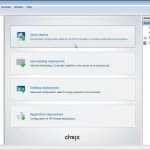
Here’s a new video showing you how to install Citrix XenServer 6 and enable IntelliCache in XenServer. IntelliCache is a technology that may reduce the requirements for central storage by as much as 90%. Be aware that this is a technology which is dedicated for XenDesktop using Machine Creation Services (MCS) only. Provisioning Server does not leverage IntelliCache technology today.

Select Enable thin provisioning (Optimized storage for XenDesktop) when installing XenServer. The installer will then create a Storage Repository which has thin provisioning enabled. You cannot enable thin provisioning after a non-thin provisioned Storage Repository has been created. This includes the case where you are upgrading from an older version of XenServer.

As a bonus we also show you how to import and configure the brand new XenServer Web Self Service appliance.
Continue Reading

VirtuAll User Environment Manager (VUEM)

VirtuAll User Environment Manager (VUEM) was finally released in the beginning of this month. I’ve covered VUEM before in this post Virtual User Environment Manager – A Sneak Peak and this Interview with Pierre Marmignon – CitrixTools.Net. This tool is a fantastic present to the Community and will let you eliminate your login scripts once and for all!

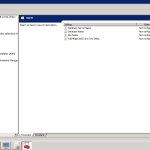
To test VUEM in a isolated environment I spun up some servers in RackSpace Cloud (Getting started with Rackspace). The installation and configuration are straight forward and Pierre have also created a Quick Start Guide. This tools is an perfect addon to Citrix User Profile Manager and does some awesome stuff that’s hard to do with Microsoft Group Policy Preferences (GPP). E.g. dynamically adding icons to Quick Launch, Pin to TaskBar and Start Menu as you can see in the image below.

Continue Reading

Citrix XenDesktop 5 using Hyper-V and SCVMM

In this video tutorial I’ll show you how to install and configure Citrix XenDesktop 5 (XD5) with Microsoft Hyper-V and System Center Virtual Machine Manager (SCVMM). The process is pretty straight forward if you do them in the right order.

I’m installing SCVMM on the same server as XD5 which means you’ll need to install XD5 first to get the latest versio of Microsoft SQL Express. Always remember to install the SCVMM Admin Console on the server(s) hosting XD5.

Continue Reading

All you need to know about XenDesktop 5.0

It has been an exciting week at Citrix Synergy in Berlin. Even though I haven’t been there I have a pretty good overview on what happened thanks to Twitter and Synergy Live that streamed some of the events. In terms of XenDesktop 5 I did see the product a couple of month ago, but because of the NDA I haven’t been able to share this information with you.

So the biggest news at Syngery was the release of XenDesktop 5 that will be available sometime in Q4 2010. Citrix also revealed XenServer 5.6 Feature Pack 1 that I will be covering in a later post in a couple of weeks.

The biggest disappointment for me was that they did not announce the new Citrix Access Gateway 5.0 (CAG) or CAG support in general for VMware. Our customers are screaming for a CAG virtual appliance (VA) for VMware. The reason is simple, most of our customers have already VMware inhouse and in the DMZ.

Continue Reading

Why Internet Explorer will kill your memory – Part II

This is a follow up post for Why Internet Explorer will kill your memory – Part I that I published in March this year. A lot of people have been requesting this and I’m sorry for keeping you waiting so long. I think the reason why this post have been delayed is that I’ve been putting to much into it. I wanted it to cover everything; Internet Explorer 8 tuning, Citrix HDX MediaStream for Flash and so on. Well I just figured out let’s take the IE8 tuning in Part II and then the rest of the stuff can come in some other series.

The setting I’m about to reveal for you will save you a big chunk of memory and money, in both XenApp and XenDesktop environments. By default,  IE8 will start with two instances of iexplore.exe (one for the Frame, one for the tab) and grows the number of tab processes as needed based on the amount of available RAM, the number of tabs, the integrity levels for tabs, and the number of distinct IE sessions. Let’s take a look at some examples :

Continue Reading

Using Group Policy to hide and map specified drives

Do you remember the old days when we used the hide drives.adm template to hide specified drives along with some kind of hide drives calculator to get the proper value ? So if we wanted to hide drives for Domain Users but not the Domain Admins, we had to create another policy to lock it up again. Those days are long gone thanks to Group Policy Preferences, for me it’s the life before and after. Get rid of all your adm templates and 30+ page vbs logon scripts once for all. This will speed up the logon time and make your administration much easier.

To leverage Group Policy Preferences (GPP) you’ll need to administrate Group Policy’s from a Windows 2008 server (just member server) or Windows 7 with RSAT. On Windows XP and Windows 2003 machines you’ll need Group Policy Preference Client Side Extensions to properly read GPP settings.

Continue Reading