
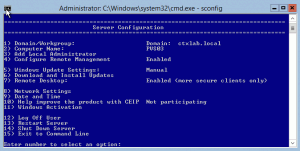
App-V 5 and Provisioning Services

App-V 5

In my last blog 7 Reasons Why You Need to Learn App-V 5 I talked about how important it is for you to start playing around with App-V 5.

Since all Citrix XenApp / XenDesktop and RDS should be running App-V 5 with Shared Content Store it’s important to leverage Windows 2012 and SMB 3.0 as I wrote about in this post Make your network 10x faster.

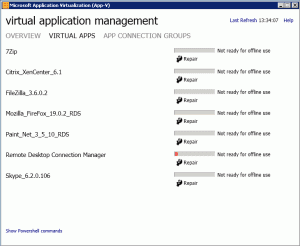
With App-V 5 you can easily publish all packages from a folder. This is the PowerShell script I’m running at startup for my XenApp 6.5 VM’s streamed with Provisioning Services.

Continue Reading

7 Reasons Why You Need to Learn App-V 5 Today

App-V 5

We’ve been doing server virtualization for years and hopefully most businesses run the majority of their servers on a hypervisor from Citrix, VMware or Microsoft by now.

With the release of Microsoft Application Virtualization 5.0 the same is going to happen to the application space. I remember back in the days when VMware took off, those consultants got some pretty amazing projects at their hands.

The same is happening now, so you better learn App-V 5 today.

At Citrix Synergy next month the learning lab “Implementing Excalibur on Microsoft Hyper-V” is running every day. Attendees will learn about next-generation delivery architecture of Excalibur with Microsoft’s newest operating system and System Center 2012 SP1. This is not a coincidence!

Continue Reading

Best Practices Preparing a Provisioning Services vDisk

In this blog post I will show you my Prepare for PVS script that contains Best Practices obtained after years of experience with Provisioning Services.

Let’s say you’re going to run Windows Updates. Well since you’ve already launched the Target Optimizer tool, that services is disabled and you need to head into services, enable and start it. Run Windows update and all good. When the update is finished you shutdown the machine and switch from Private to Standard Mode.

What you didn’t remember was to reboot the server for Windows Update to complete it’s updates. What happens now, is that every time your servers reboot, Windows Update will kick in and finish it’s things.

Continue Reading

ControlUp – Terminal Server and VDI Management

My favorite IT management console is just released in version 2.0 with a great bunch of new features and enhancements. This is a sponsored review, but I love this product and have been using it at all my customer since the first release.

In this blog post I’ll cover what’s new in this release. I’m also going to host a webinar with the CTO of ControlUp Tuesday, February 26, 2013 6:00 PM – 7:00 PM IST with live demo and Q&A. Make sure to reserve your spot HERE.

Central Configuration:

In earlier versions of ControlUp you needed to create the configuration on each and every management computer. Now the configuration can be stored in the cloud secured by your own encryption key. This way all the users of ControlUp can share the organizations computer tree, delegate administrative task and permissions (similar to AppCenter) and receive alerts on performance bottlenecks. The alerts is at the moment just sent to the event viewer, but I was told that an SMS / SMTP solution will be available in the next release.

Continue Reading

Troubleshoot Citrix XenServer Network Performance

Last week I was troubleshooting extremely slow network performance on Citrix XenServer 6.02 installed on HP Proliant BL460C G7. The solution was based upon Citrix Provisioning Services 6.1 and Citrix XenApp 6.5 with all hotfixes.

You might ask why not run XenServer 6.1? The customer did a Citrix XenServer Rolling Upgrade to 6.1 and a Provisioning Services Target Device software upgrade.

After the upgrade was completed they where experiencing problems and who would even think that Citrix XenServer 6.1 does NOT support Provisioning Services or XenDesktop. The XenServer Tools Workaround for XenServer 6.1.0 did not work in this environment.

Today Citrix acknowledges that some customers are experiencing intermittent Windows issues with XenTools in the XenServer 6.1 release. Hotfix (XS61E005) for all XenServer 6.1 installations will be released in early January 2013 and support PVS 6.1 (but what about XenDesktop?).

Continue Reading

Why You Shouldn’t Redirect Favorites to Home Folder

During Citrix Synergy 2012 in San Francisco it was argued numerous times by Shawn Bass that redirecting Favorites to the home folder is a very bad idea. Shawn mentioned that Internet Explorer causes an extensive number of calls on your file server when browsing so I wanted to dig a little bit deeper into this topic.

Folder redirection to home folder is the rule of thumb to improve logon speed and create a better user experience across platforms. That being said, redirecting AppData should be avoided at all costs.

To redirect or not is a sensible topic and I think it would be a great Geek Speak Session with CTP Shawn Bass and Aaron Parker vs Citrix Consulting Services.

What happens under the hood :

To illustrate this I’ve been using Internet Explorer 9 and Process Monitor on my Windows 7 laptop. The filter beeing used is Path IS C:\Users\Administrator\Favorites.

When opening Internet Explorer you’ll see 13 calls in Process Monitor.

Continue Reading

Netscaler Certificate – The fastest way

When working with Netscaler certificate you’ve probably been confused by all the articles around OpenSSL to convert exist or new certificates to be in a Netscaler compatible format.

In this example I’m going to show you how you convert and import a Comodo Positive SSL certificate. This is a $7,95 certificate which are perfect for a lab or a Netscaler PoC in parallel to an existing Access Gateway VPX / Citrix Secure Gateway solution.

I’m not going to cover how to create the CSR from the Netscaler, that’s done perfectly over at this Citrix blog post : NetScaler for the XenDesktop XenApp Dummy.

Netscaler Build 10.0.69.4

If you’re running the latest build of the Netscaler be aware of the Save config issue bug. To resolve this you’ll need to first add your license file and then reboot before you can save any configuration.

Continue Reading

Citrix Secure Gateway – Replace or Upgrade Certificate

Many Citrix Secure Gateway implementations are old and based upon 1024 bit encryption. So when you get the email notification about your certificate soon expires you find out that it’s no longer possible to renew a 1024 bit certificate.

The procedure for creating a new 2048 bit or higher is quite fast and simple as long as you know how to do it. Below I show you the way.

First off create a new website, in the example above I’ve used the name NewCertSite.

Then right click the new site, select Properties and navigate to the Directory Security tab.

Continue Reading

Pin Icons to Start Menu for All Users with GPO

Pinning and unpinning icons to the Start Menu or Taskbar can be a pain on Windows 2008 or Windows 7. After doing some research I came up with an how to that I wanted to share with you today.

The first problem I got was that the Pin to Taskbar / Start Menu was missing from the menu.

Continue Reading