Citrix GoToManage – iPad Remote Support

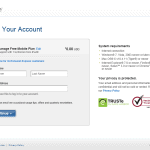
The Citrix GoToManage iPad App that was announced at Citrix Synergy 2011 is now available on the App Store. This app will make it much easier for administrators to support end users from anywhere in the world. You can try the app today by signing up for an account at the GoToManage website. The current version doesn’t support sign-up from the iPad app.

Simply install the GoToAssist client on your computer(s) and you’re ready to go.


Continue Reading

Secret Tips To Become More Productive

In last week’s post I talked about the importance of setting goals. I’m happy to see that you have taken action. The eBook download have double since last week. Today we’re going to talk about what YOU can do to free up some time to reach your 2011 goals.

The biggest problem today are information overload and because of all these distractions, we waste our precious time. If you follow the simple tips listed below I’m pretty sure you can save at least 30 minutes each day.

Reading email :

Read email only two times a day, the best time is at noon and end of work. I will warn you that it’s hard, but for the email addicts that constantly check their emails 100 times a day will be overwhelm on how effective this simple step is.

Email, IM and other notifications :

  • Turn off email envelope icon in taskbar, email alert and the “You got mail” sound
  • Turn off email push to your smart phone and iPad
  • Sign out of instant messaging or set status to Don’t disturb
  • Turn off Facebook, Twitter, Linkedin email notifications

Continue Reading

Why Internet Explorer will kill your memory – Part II

This is a follow up post for Why Internet Explorer will kill your memory – Part I that I published in March this year. A lot of people have been requesting this and I’m sorry for keeping you waiting so long. I think the reason why this post have been delayed is that I’ve been putting to much into it. I wanted it to cover everything; Internet Explorer 8 tuning, Citrix HDX MediaStream for Flash and so on. Well I just figured out let’s take the IE8 tuning in Part II and then the rest of the stuff can come in some other series.

The setting I’m about to reveal for you will save you a big chunk of memory and money, in both XenApp and XenDesktop environments. By default,  IE8 will start with two instances of iexplore.exe (one for the Frame, one for the tab) and grows the number of tab processes as needed based on the amount of available RAM, the number of tabs, the integrity levels for tabs, and the number of distinct IE sessions. Let’s take a look at some examples :

Continue Reading

How to Load Balance Citrix Web Interface with NLB

Every Citrix Web Interface Server (WI) without any form of load balancing is a potential single point of failure in your environment. Network Load Balancing is available in both the Standard and Enterprise Editions of Windows 2008 so there shouldn’t be to many excuses for not implementing. This picture tutorial will take you through the process of creating a Network Load Balancing Cluster for your Citrix Web Interface Servers.

IP Address Overview :

winlb1.ctxlab.local    10.0.10.40
winlb2.ctxlab.local    10.0.10.41
nlb.ctxlab.local         10.0.10.42

Configure Citrix Web Interface :

  1. Assign static IP Address to both nodes in the NLB Cluster
  2. Install and create a Site on Citrix WI on Node A
  3. Install and create a Site on Citrix WI on Node B
  4. Customize, test and replicate WI Site from Node A to Node B
  5. RoboCopy c:\inetpub\wwwroot\Citrix \winlb2\c$\inetpub\wwwroot\Citrix /MIR

Continue Reading